
desktop app / inspection

Quartz
Understand what is inside a media file.
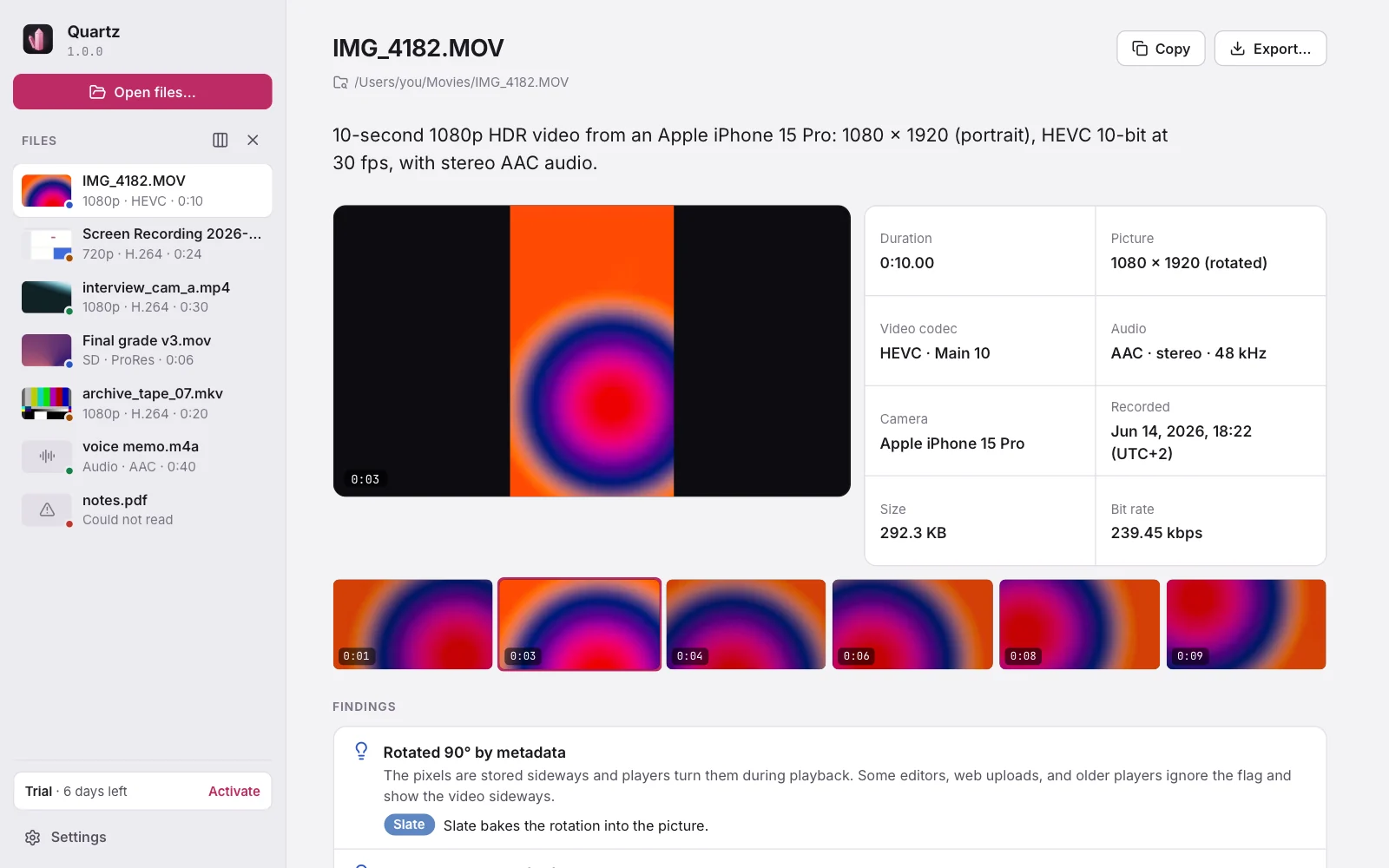
Drop in a video, audio, or image file and Quartz explains it in plain words: the picture and one sentence first, then what to watch out for, then what metadata cannot tell — data rate, frame timing, loudness, damaged frames. Included with every other app.
01 / interface
02 / what it does
Quartz, in six parts.
Windows 10 or later, macOS 11 or later (universal), or a 64-bit Linux desktop.
The picture and the headline
A frame and a filmstrip across the video, upright and HDR tone-mapped, beside one sentence: “10-second 1080p HDR video from an Apple iPhone 15 Pro, HEVC 10-bit at 30 fps.”
What to watch out for
Variable frame rate, missing frames, keyframes too far apart to scrub, interlacing, rotation flags, HDR that looks washed out, silent or distorting sound, and more.
Measured, not guessed
Data rate and keyframes over time, frame timing with every gap, and loudness (LUFS, true peak) against the −14 LUFS streaming level.
Frame check
Decodes every frame the way a player would and shows where a file is damaged or ends early.
Share without your location
One click saves a copy without location, device, and date tags. Picture and sound are copied unchanged, and Quartz checks the copy before keeping it.
Compare, export, stay local
Files side by side, reports as Markdown, text, or JSON, and nothing is ever uploaded.
03 / license
€8.99one-time · VAT included · Quartz
- Every Quartz 1.x update
- Three computers at once, moved whenever you like
- Works offline after activation
- 14 days to change your mind, full refund
04 / the family